How much space will you actually get?
RAID Calculator for iPhone and iPad shows your usable capacity, how many drives can fail, and which drive to buy next, whether your NAS runs Synology, Unraid, ZFS, SnapRAID or Btrfs.


Android is coming soon.
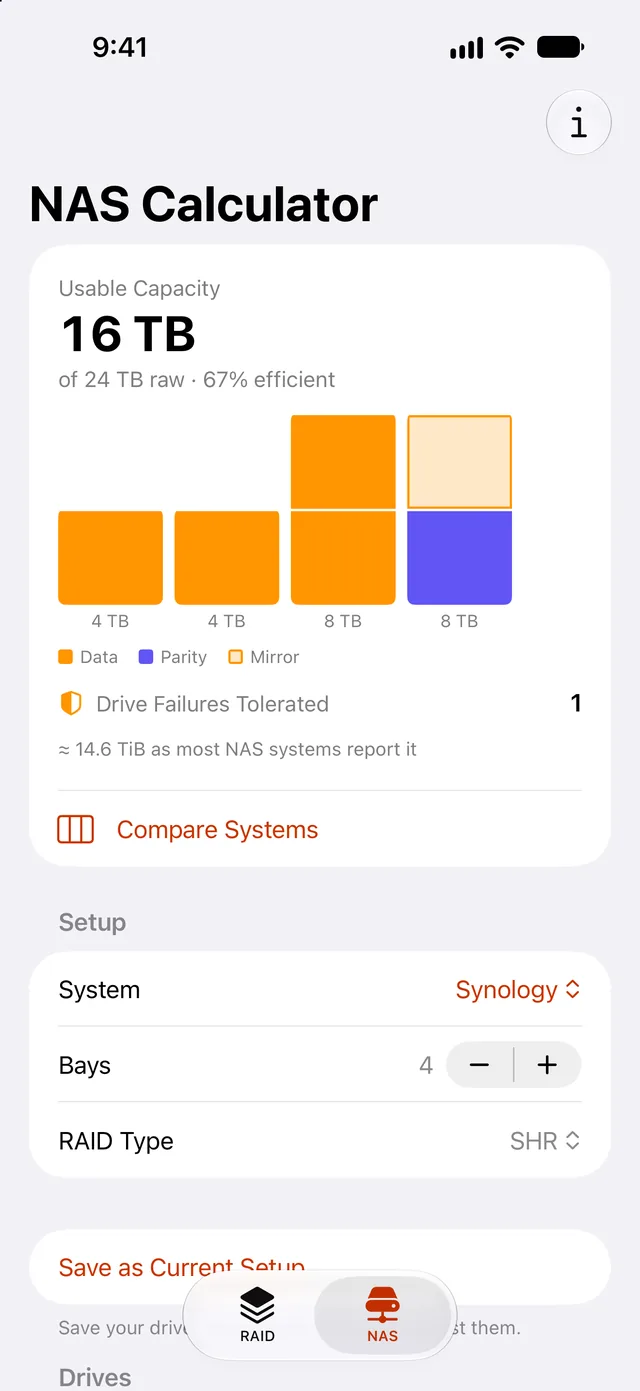
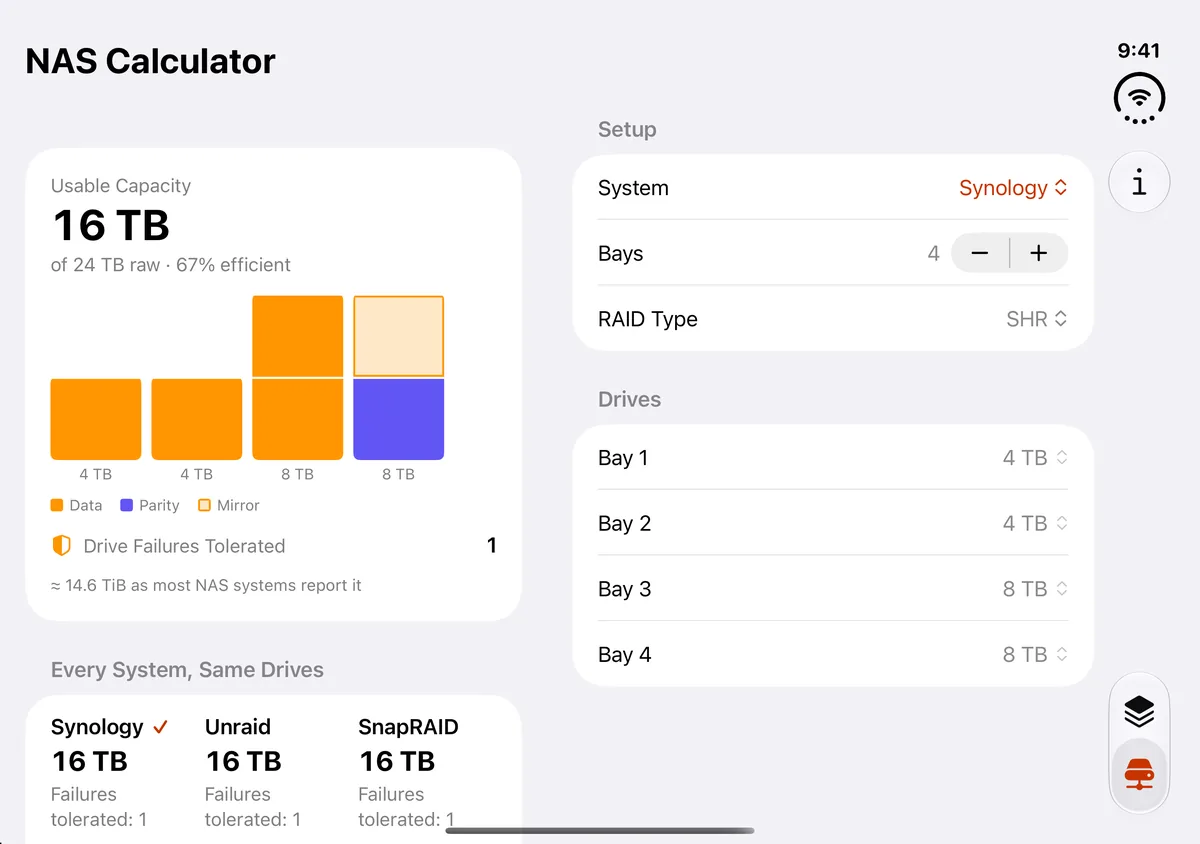
Most calculators assume identical drives. Your NAS has a 4 TB from 2019 next to last month’s 16 TB.
Same drives, two layouts
2 × 4 TB + 2 × 8 TB
Upgrading one drive in an SHR array often gains less than you’d expect until a second large drive joins it. The app shows that number before you spend.
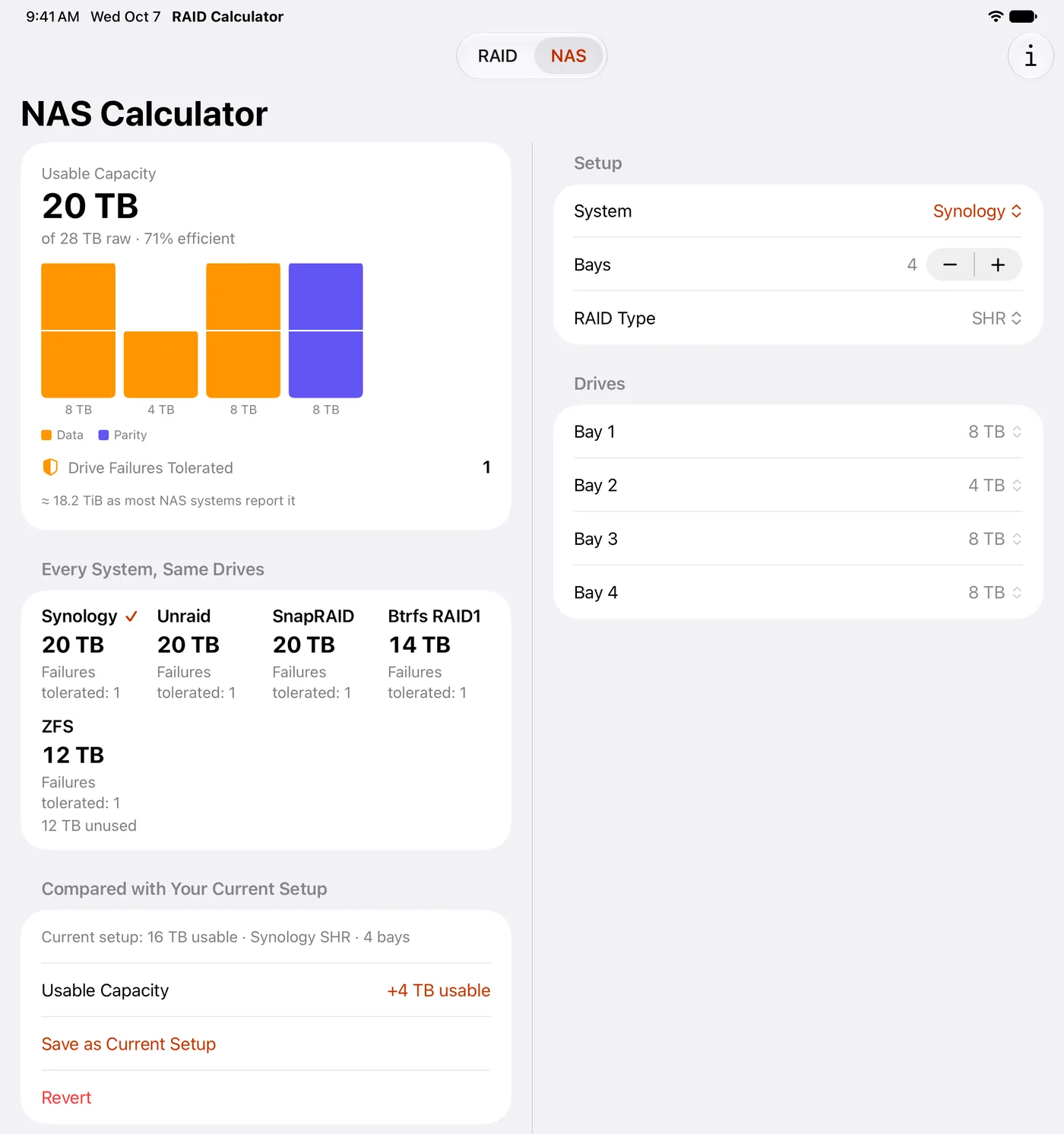
Pick a bay count from 2 to 12 for Synology, or up to 30 for Unraid, ZFS, SnapRAID and Btrfs RAID1. SHR and SHR-2 sit alongside Synology’s RAID 1, 5 and 6. Unraid and SnapRAID put parity on your largest drives automatically, and for ZFS the app also shows the figure ZFS will report, labeled as an estimate.
RAID 0 to 60, RAID-Z and JBOD. The answer first, the reasoning right under it.
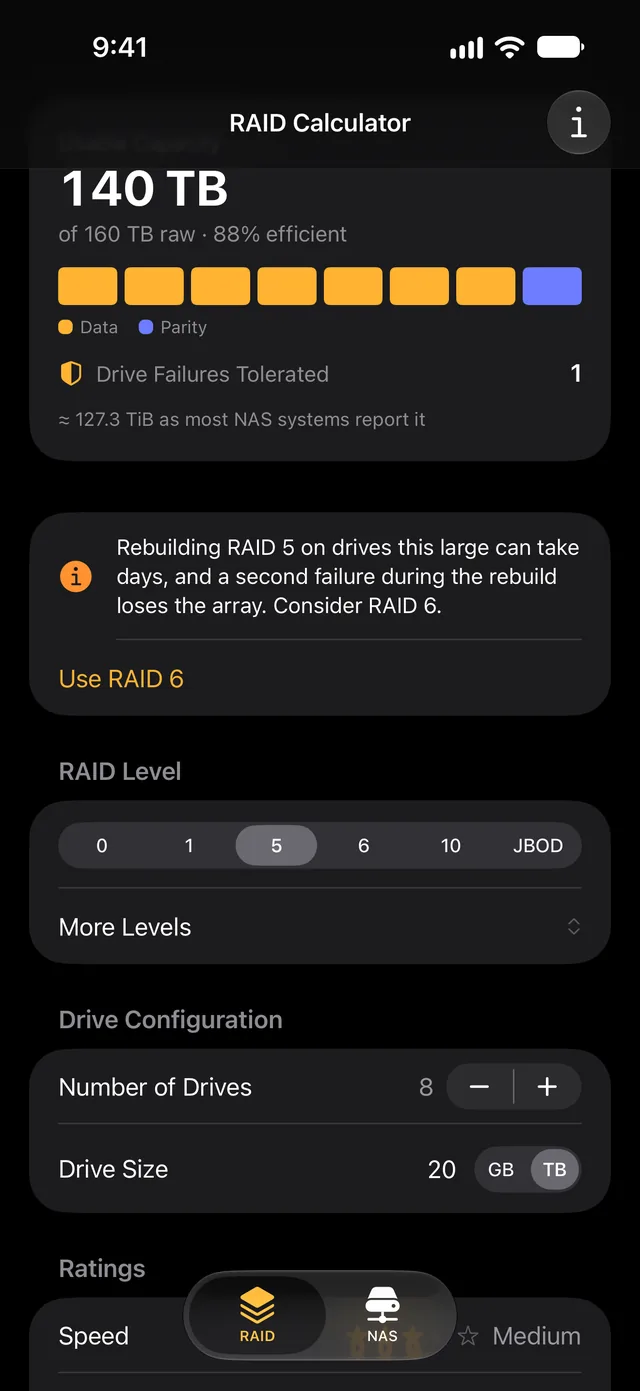
Set the number of drives (1–24) and a size in GB or TB. Usable capacity is the biggest thing on screen, with raw capacity and efficiency beneath it. Your last setup is remembered. Nested levels and RAID-Z show their groups, and RAID-Z adds what ZFS itself will report.
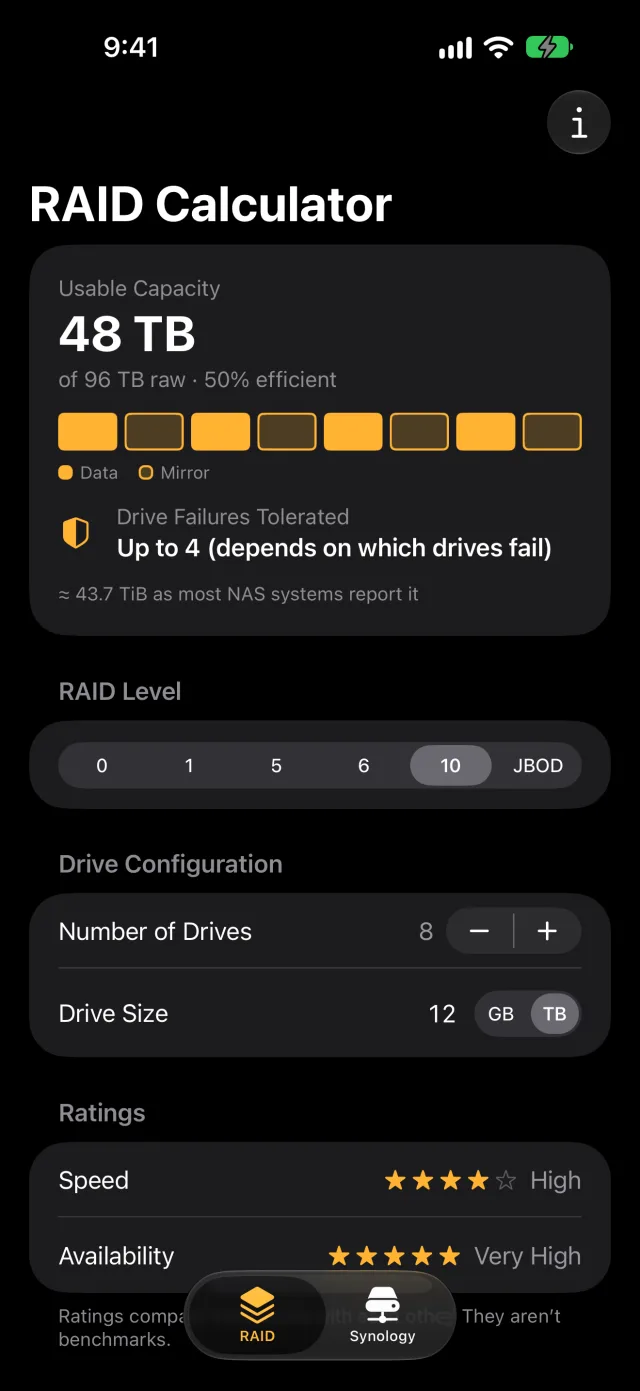
See why RAID 10 costs half your drives
One bar per drive, colored by what it does: data, parity or mirror, so the mirrored pairs are plain to see. Fault tolerance is honest about the conditional cases: “Up to 4 (depends on which drives fail).”
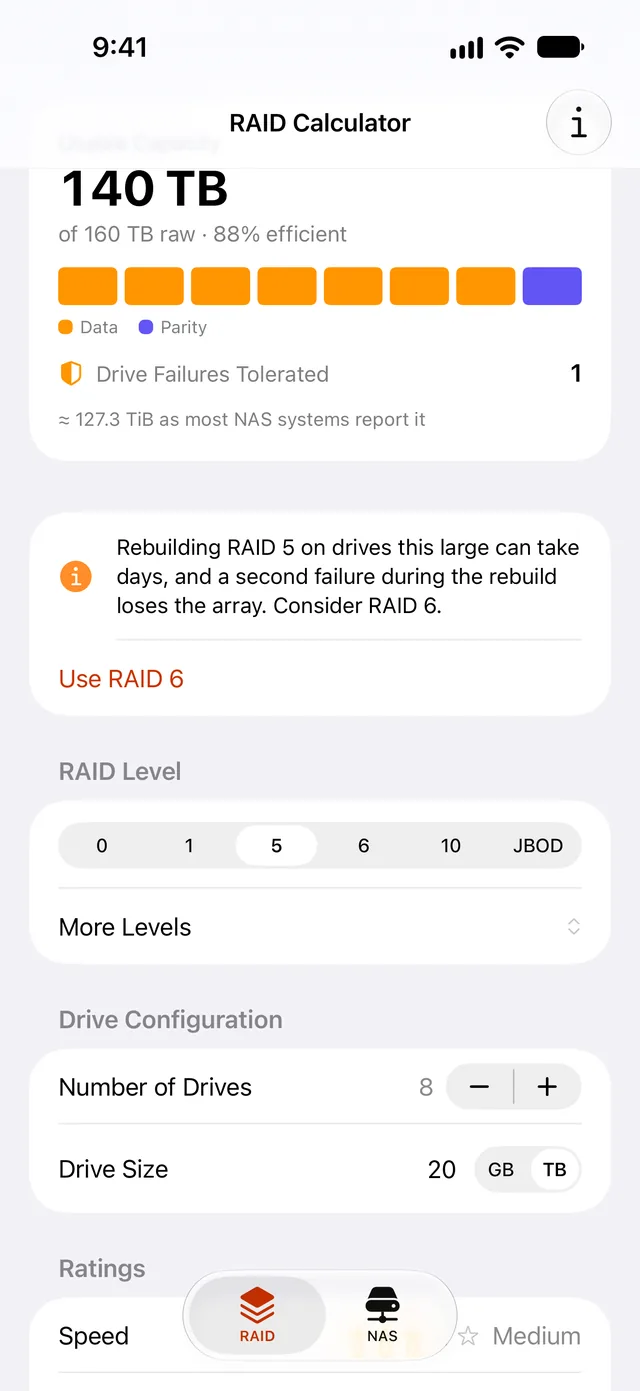
A warning while it still matters
RAID 5, RAID 50 and RAID-Z1 on drives of 8 TB or more warn that a rebuild can take days and that a second failure during it loses the array. When the groups are wide enough to move up, one tap switches to RAID 6, RAID 60 or RAID-Z2.
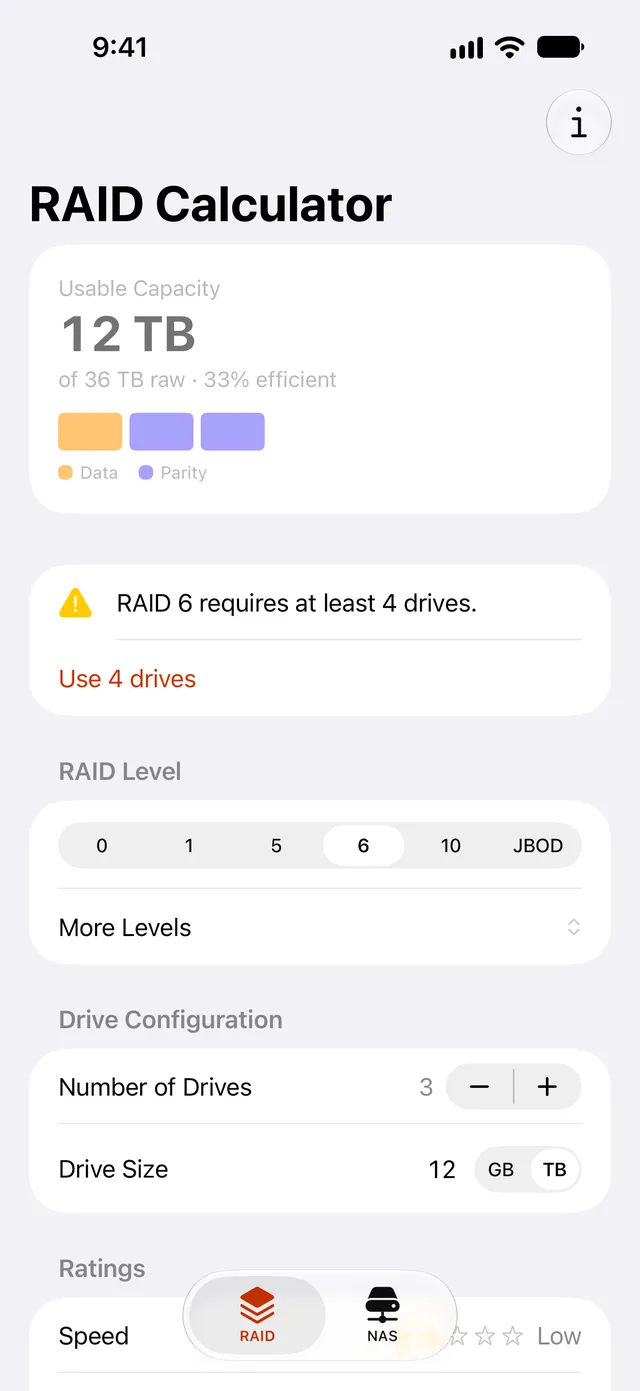
Invalid setups fix themselves
“RAID 6 requires at least 4 drives.” Tap “Use 4 drives” and the numbers come back. Every level and every NAS system has an info sheet: overview, pros, cons and typical uses, plus ratings for RAID levels and how the app calculates RAID-Z and each NAS system.
Speed and availability ratings compare RAID levels with each other; they aren’t benchmarks. Capacity uses the standard simplified formulas, and the app also shows the figure most NAS systems report (“≈ 58.2 TiB”).
Native SwiftUI on iPhone and iPad. Light mode, dark mode, eleven languages.
Liquid Glass, Dynamic Type at every size including the largest accessibility sizes, and VoiceOver that reads diagrams as full sentences: “Bay 1, 16 TB: 8 TB parity, 8 TB unused.” It also reads each drive within a group. English, Spanish, French, Italian, Japanese, German, Traditional Chinese, Simplified Chinese, Korean, Brazilian Portuguese and Russian.
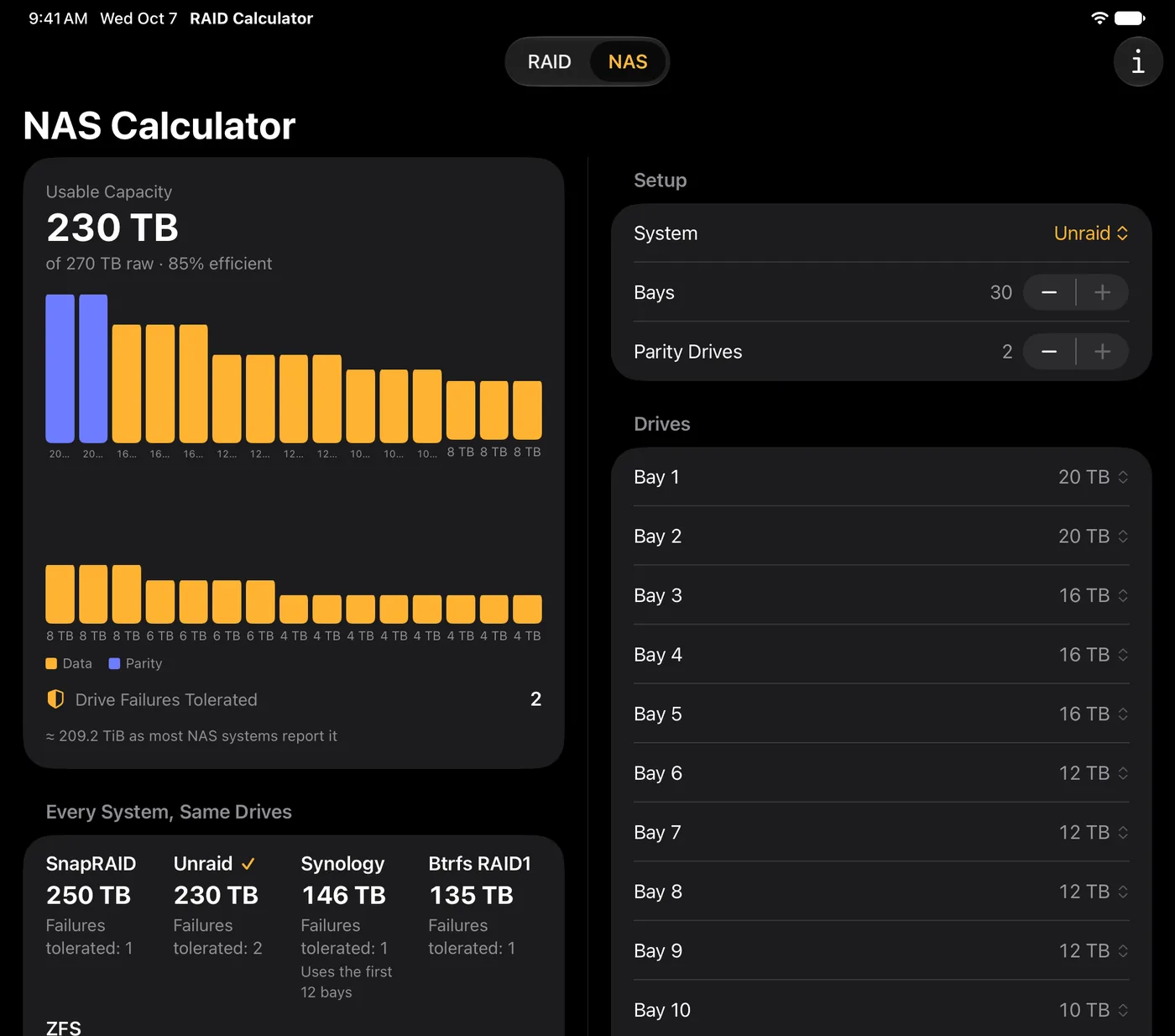
On iPad
Results beside inputs, every system compared at a glance, and up to 30 bays on screen at once. It adapts to split view too.
On iPhone Duo
Closed, the outer display shows a single column beside the system’s side bars. Opened in landscape, results sit beside inputs with the fold in the gap between them, and a level’s or system’s info opens in place of the inputs, so the results stay in view.
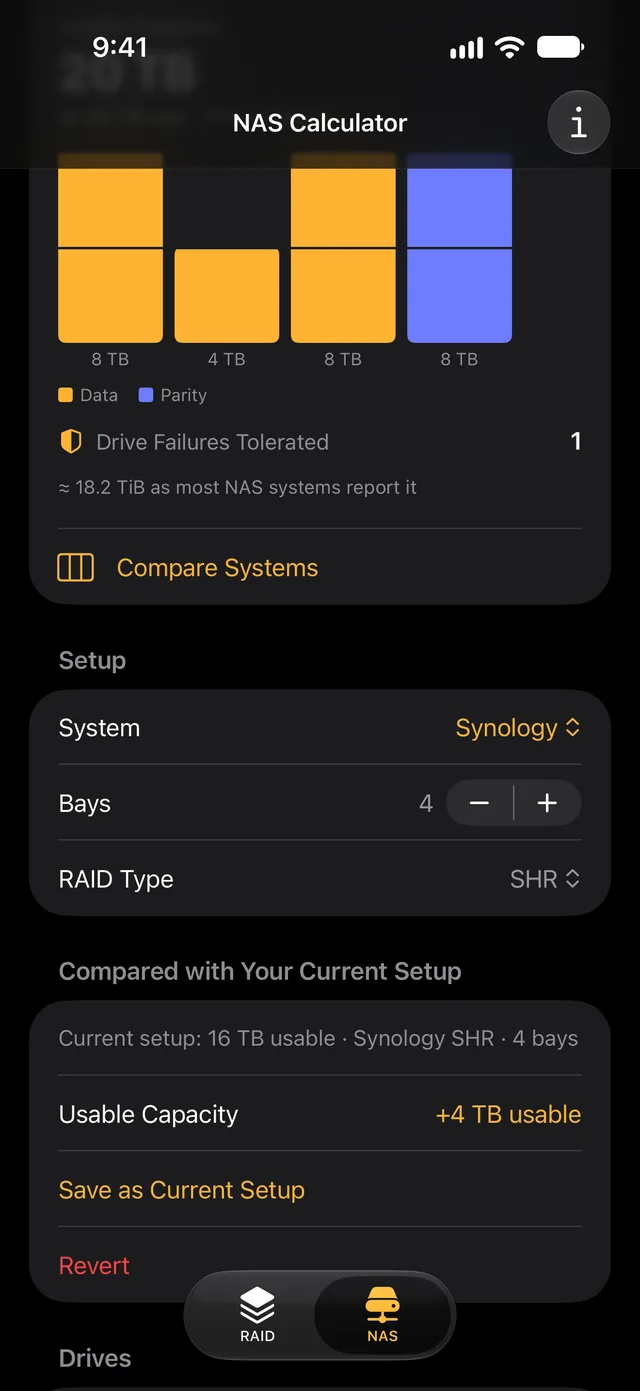
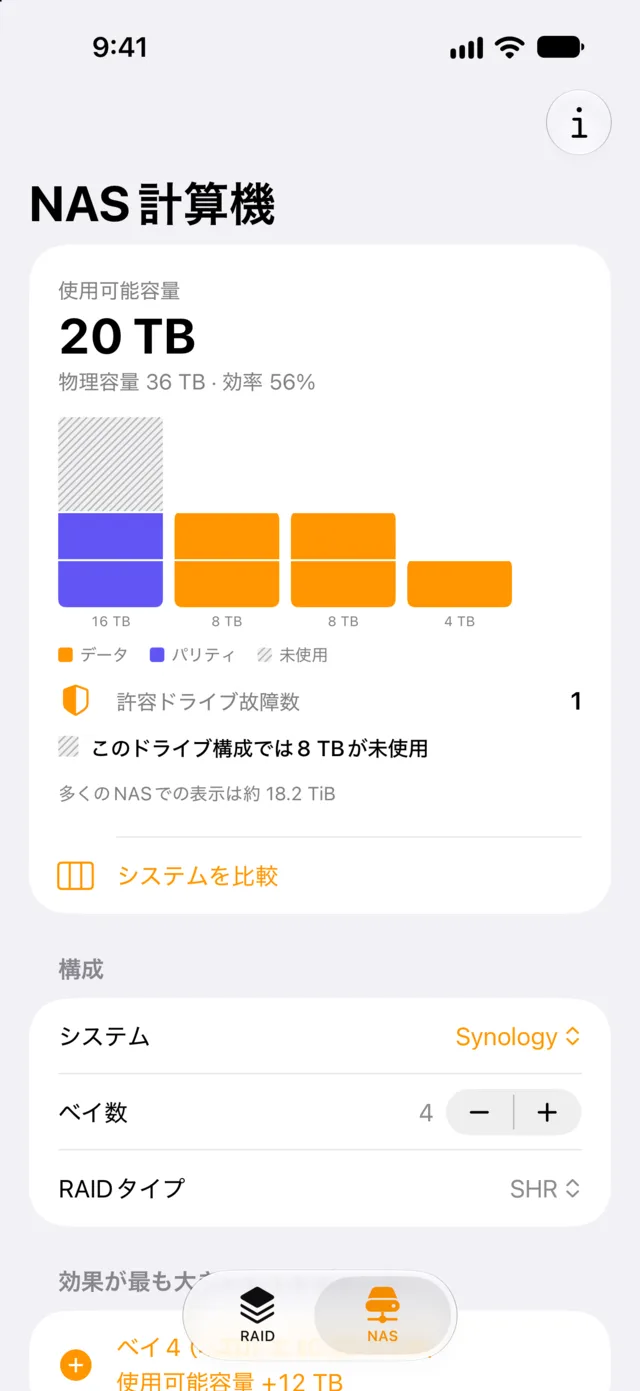
The same calculator, on Android.
RAID Calculator for Android is in testing now and coming to Google Play. It has the same RAID and NAS tabs, Compare Systems, Biggest Upgrade and Current Setup, built natively with Material 3, in ten languages.
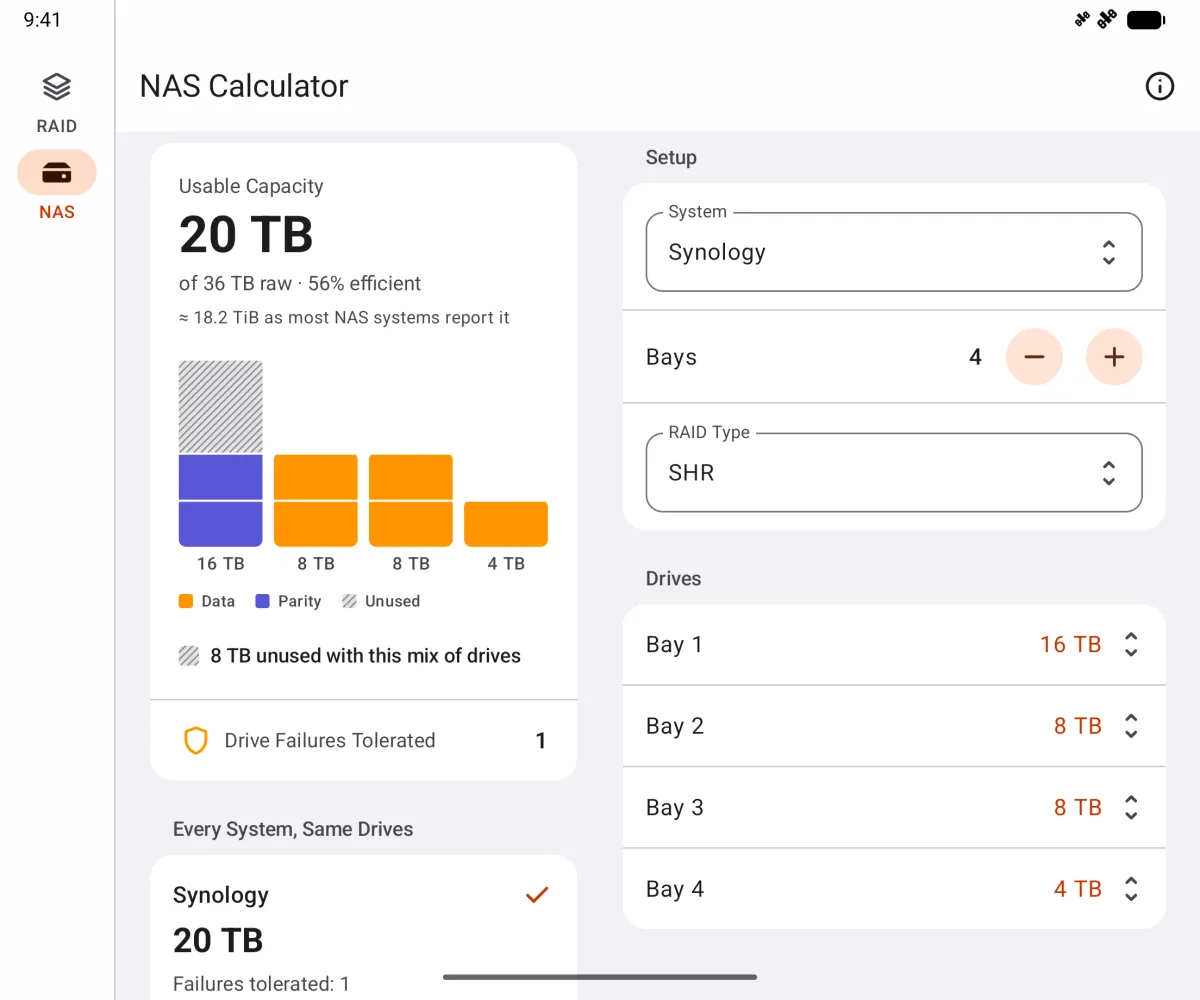
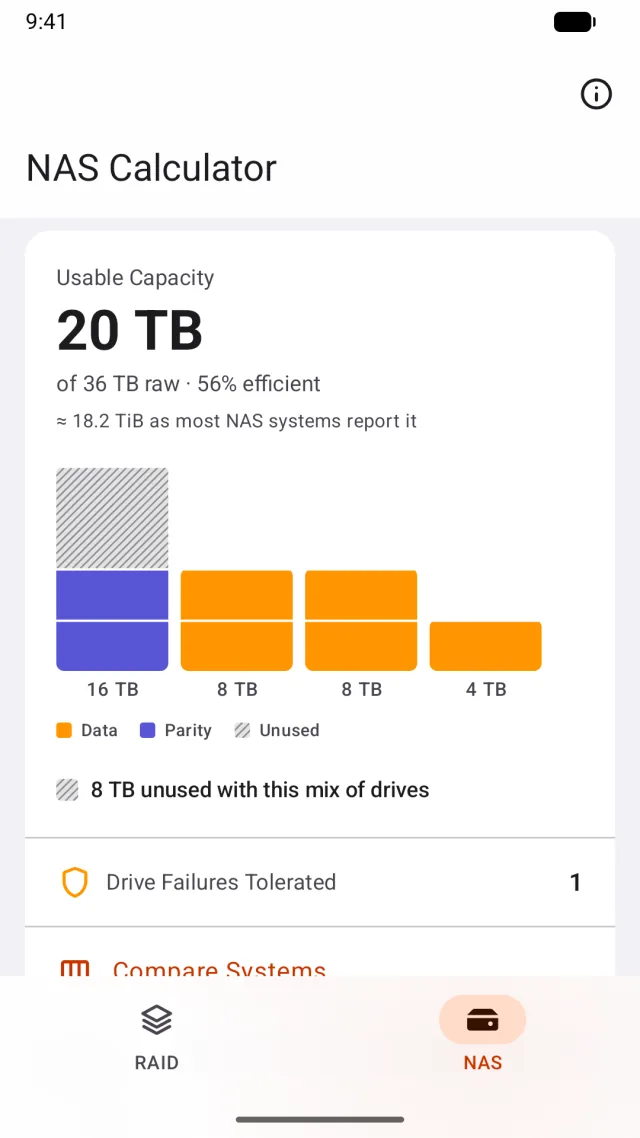
Two panes on foldables and tablets
On a tablet or an unfolded foldable, results sit beside the inputs. On a foldable the panes split at the fold, so nothing sits on the crease.
Not even an internet permission
Like the iPhone app, it makes no network calls. On Android it doesn’t even ask for permission to use the internet.
No account, no analytics, no network calls.
Every calculation happens on your device, so the app works in a server room or anywhere else with no signal. The App Store privacy label reads Data Not Collected, and there are no third-party services.
- No account or sign-in
- No analytics, tracking or advertising
- No network calls; works fully offline
- No third-party services
Questions
What is SHR?
Synology Hybrid RAID builds RAID in layers of matching capacity, so mixed drive sizes waste less space than classic RAID. The app supports SHR and SHR-2, and lets you compare them with classic RAID on the same drives.
Which systems does it cover?
On identical drives: RAID 0, 1, 5, 6, 10, 50 and 60, JBOD, and ZFS RAID‑Z1, Z2 and Z3. With mixed drives, bay by bay: Synology SHR and SHR‑2, Unraid, ZFS, SnapRAID and Btrfs RAID1.
Why does my NAS show less than I expected?
Drives are sold in TB and most NAS systems report TiB. RAID Calculator shows both, so the number on the page matches the number you see after setup. For ZFS it also estimates what ZFS itself will report after padding and reserved space, and labels it an estimate.
What doesn’t it cover?
Synology expansion units, SSD cache, and Unraid’s separate pools outside its main array aren’t covered. It doesn’t estimate cost, power or IOPS, and it never touches your actual disks.
Are the speed ratings benchmarks?
No. Speed and availability are 1–5 star comparisons between RAID levels, labeled as such in the app. Capacity figures use standard simplified formulas and don’t account for a specific filesystem’s overhead, apart from the labeled ZFS estimate. NAS systems get no stars at all, since their speed depends on how each one is set up.
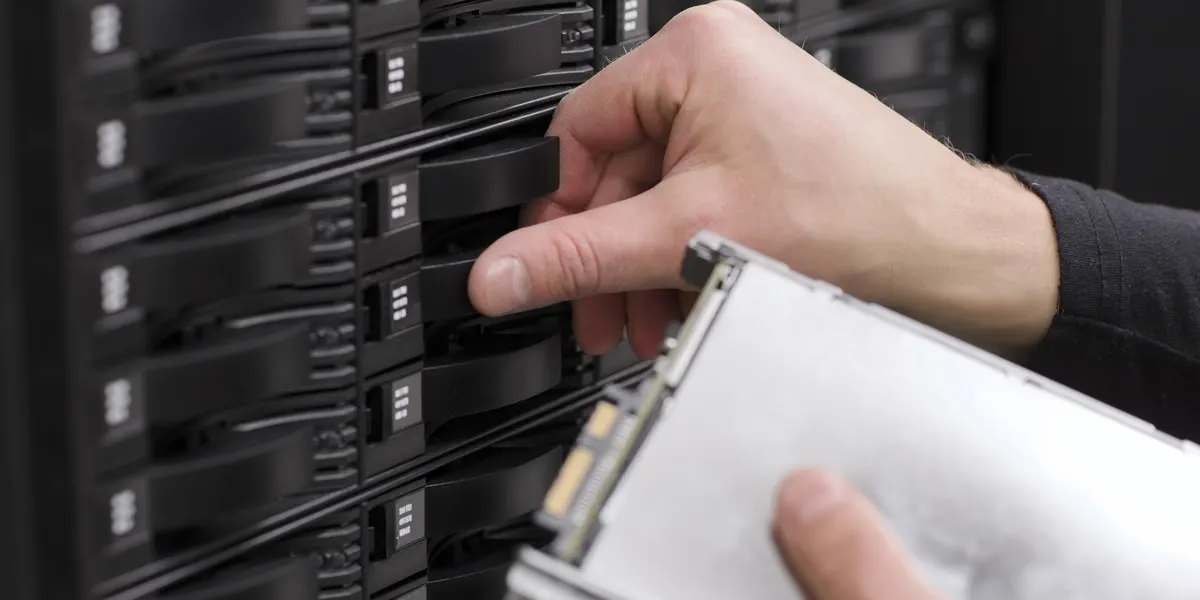
Know what you’ll get before you buy the drive.
RAID Calculator for iPhone and iPad.
Android is coming soon.